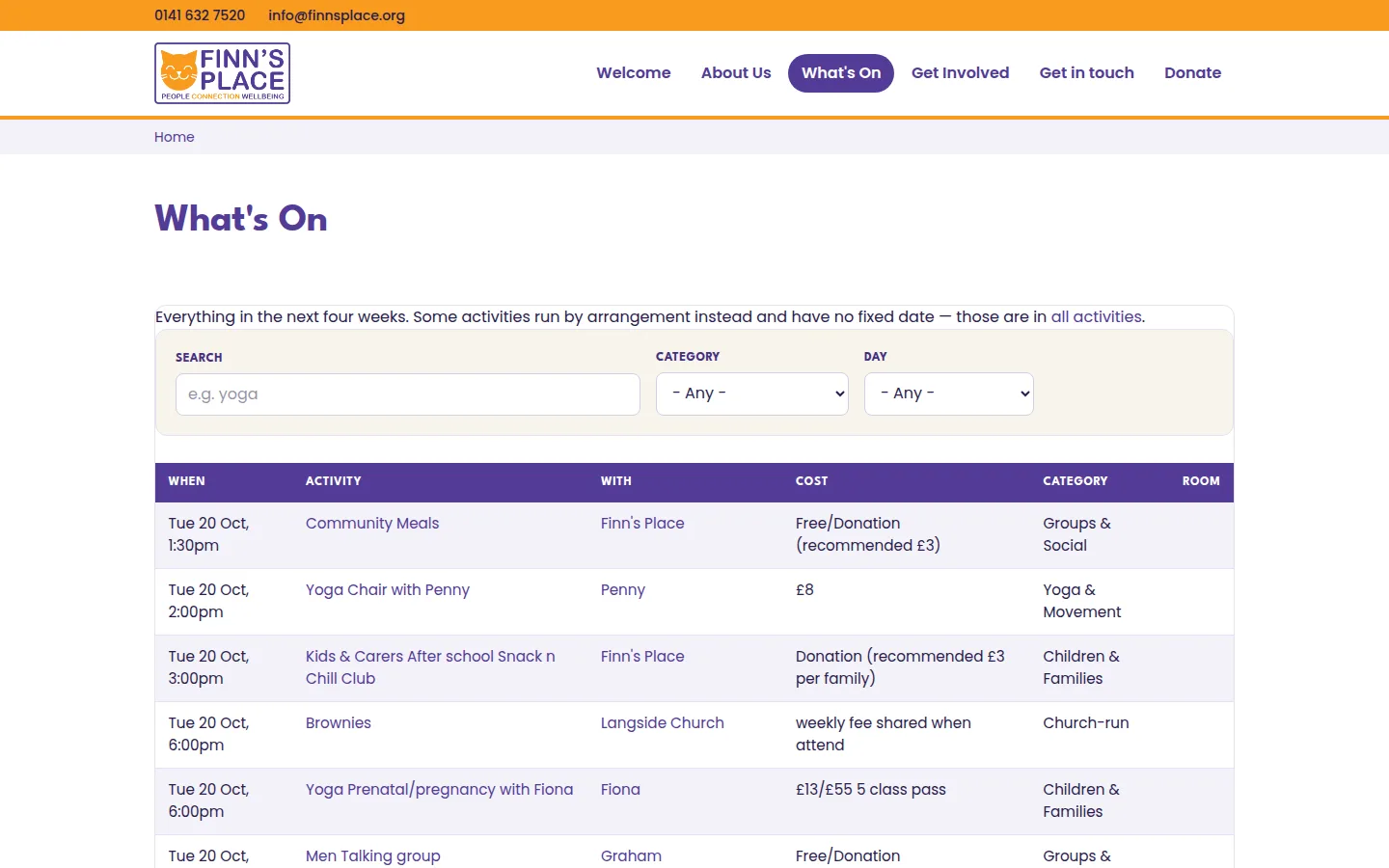
Finn's Place is a community wellbeing space in Battlefield, on the south side of Glasgow. 52 activities a week run out of Langside Church Halls — yoga, a men's talking group, toddlers, a walking group, a big band, counselling, a chatty cafe.
Their website publishes that timetable as three JPEGs.
If you're sighted, on a laptop, and willing to pinch-zoom, that works. If you use a screen reader, it does not exist. If you want to know what's on this Thursday, you read all three pictures. If you run one of those classes and your time changes, you email someone and wait for a new picture to be made.
I rebuilt the site in Drupal 11.
The brief I set myself
One sentence: the people who run the activities should be able to maintain their own entries, and a visitor should be able to ask "what's on Thursday?" and get an answer.
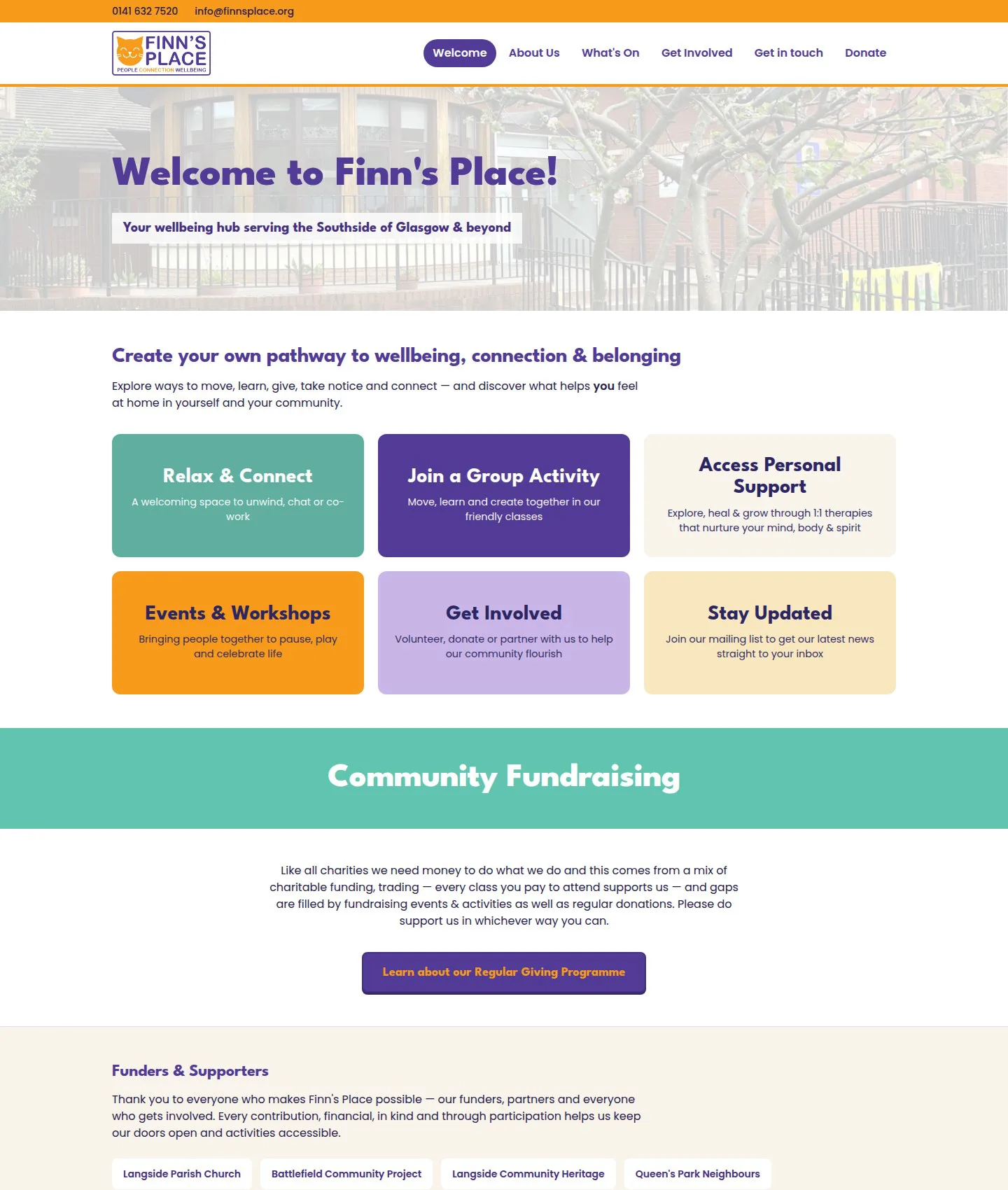
Everything below follows from those two things. The design constraint was: match their existing site.
The stack
Drupal 11.4 on DDEV, PHP 8.4, MariaDB 11.8.
Contrib, deliberately short:
- Smart Date — recurring activities. The reason the whole thing is possible.
- Pathauto and Token —
/whats-on/crafty-caferather than/node/207. - Redirect — 45 redirects so no URL of theirs 404s.
- Gin — admin theme. An organiser editing their class should not feel like they're in a CMS from 2009.
- Admin Toolbar — quality of life.
- Metatag and Simple Sitemap — basic discoverability.
That's it. Six modules plus two helpers.
The content model
Two content types — Activity and Organiser — plus four roles.
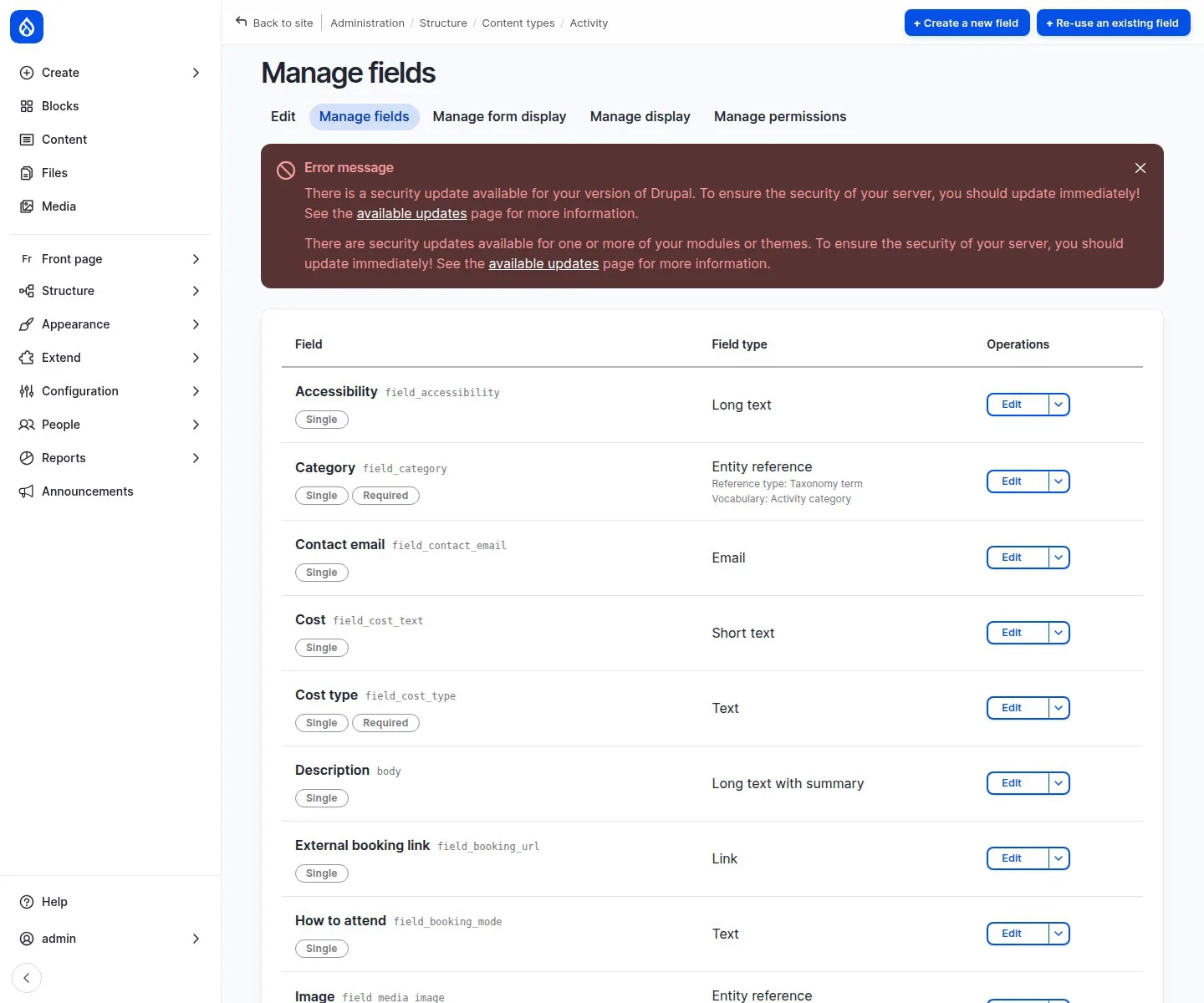
The interesting field is field_when, a Smart Date field with recurrence turned on. Their timetable contains six distinct patterns: weekly on a fixed weekday, fortnightly, "last Tuesday of the month", classes with two separate weekly slots, term-time-only, and activities with no fixed date at all that run by arrangement.
That last category matters more than it sounds. Twenty of the fifty-two activities have no date — therapies, counselling, carers' retreats. A system that insists on a start time cannot represent them, so the field is optional and a free-text "schedule note" carries "Term time only" or "By arrangement" beside whatever the dates say. A booking system is designed, but not implemented to offload the office email as a mechanism for booking appointments.
What an organiser actually sees
This is the part the rebuild exists for.
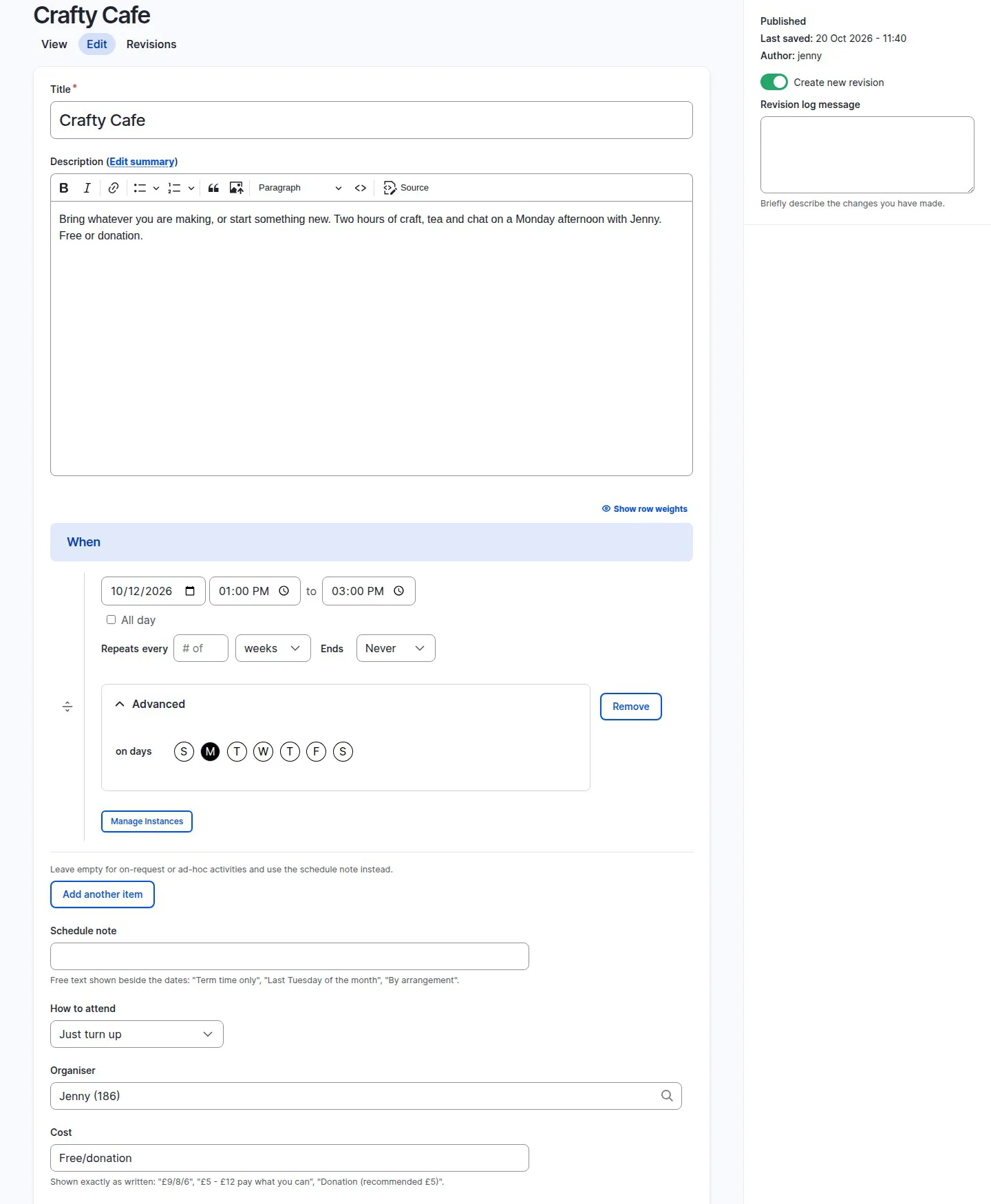
Logged in as Jenny, who runs Crafty Cafe. Smart Date's repeat controls, the weekday picker with Monday selected, "Manage Instances" for cancelling a single week, and plain-English help text under Cost: "Shown exactly as written". Jenny can edit Crafty Cafe. She cannot edit anybody else's class:
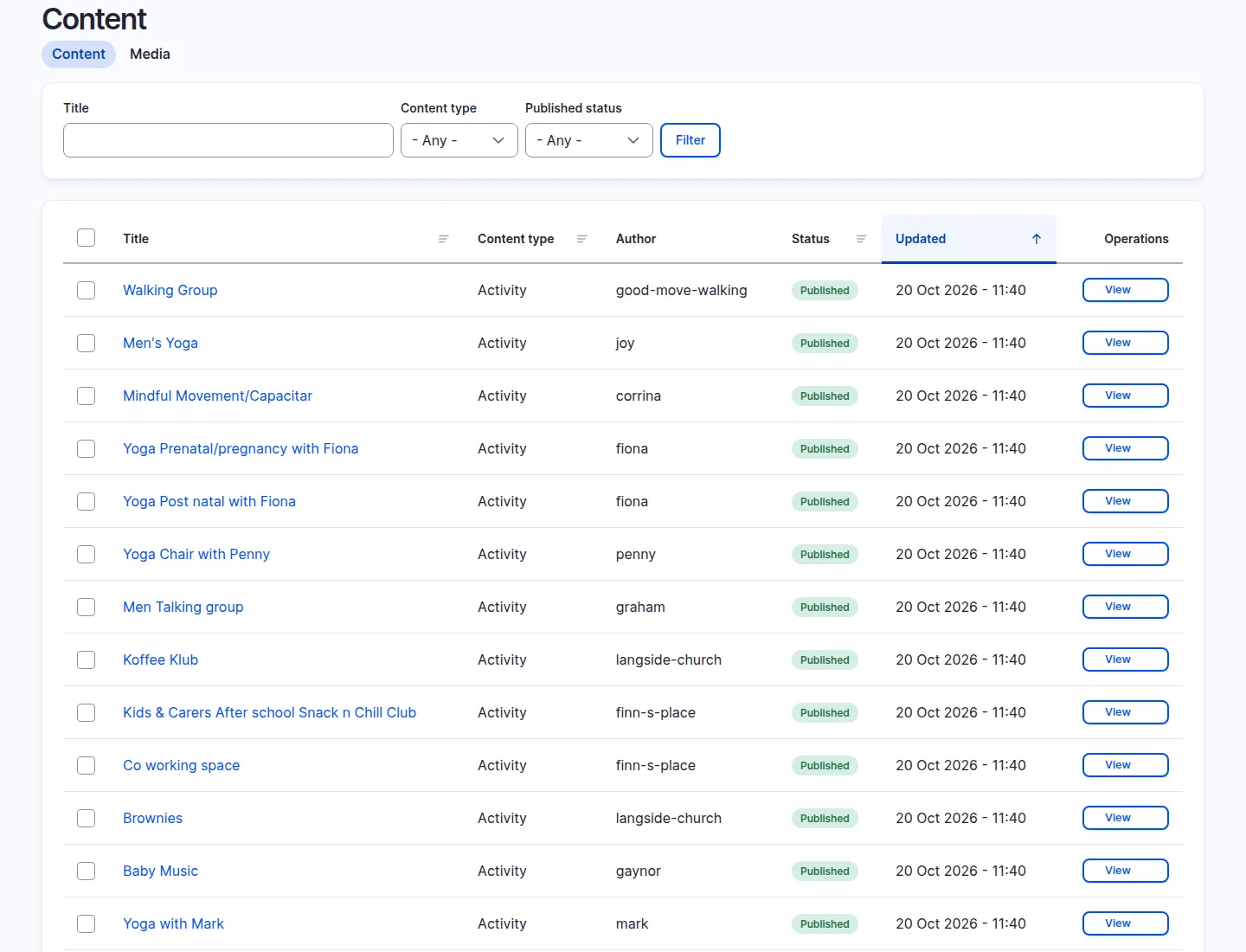
She sees the full content list, but the only button offered against other people's activities is View:
Four roles
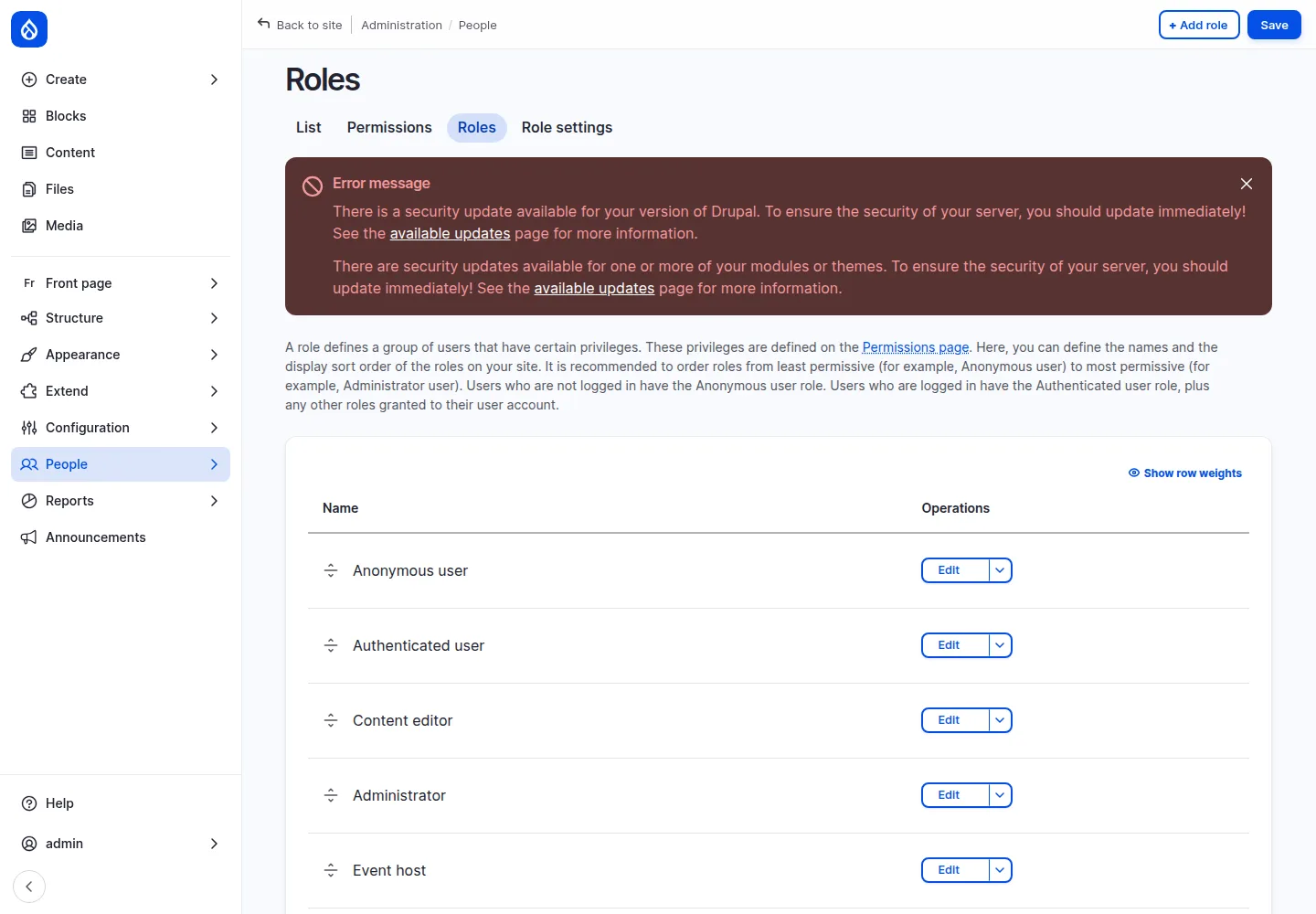
- Event host — edits their own activities, nothing else.
- Event admin — reaches everything, for when someone leaves and their classes need rehoming.
- Content admin — edits the written pages but is locked out of activities entirely.
- Authenticated — reads.
The visitor side
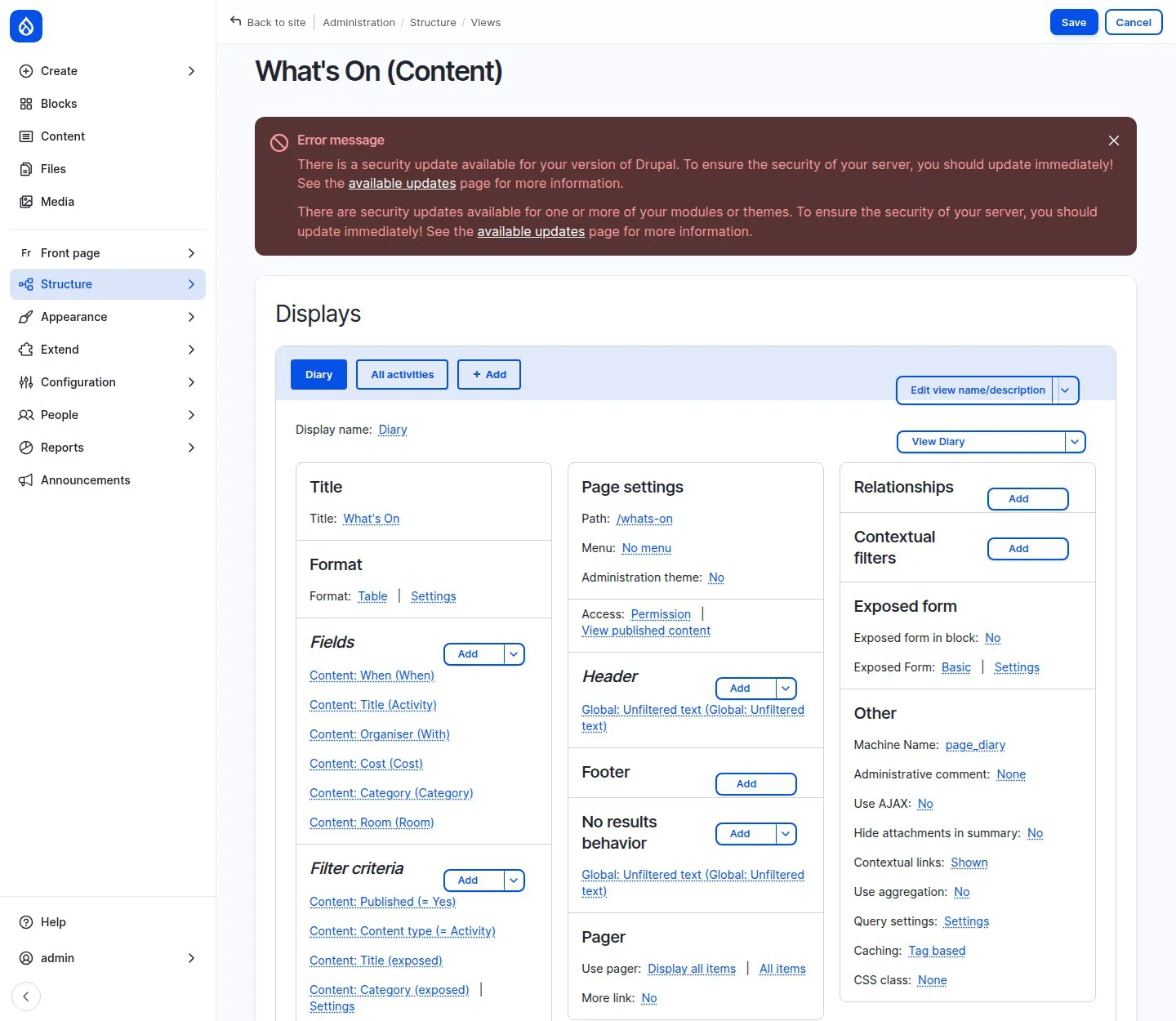
Two displays off one Views configuration.
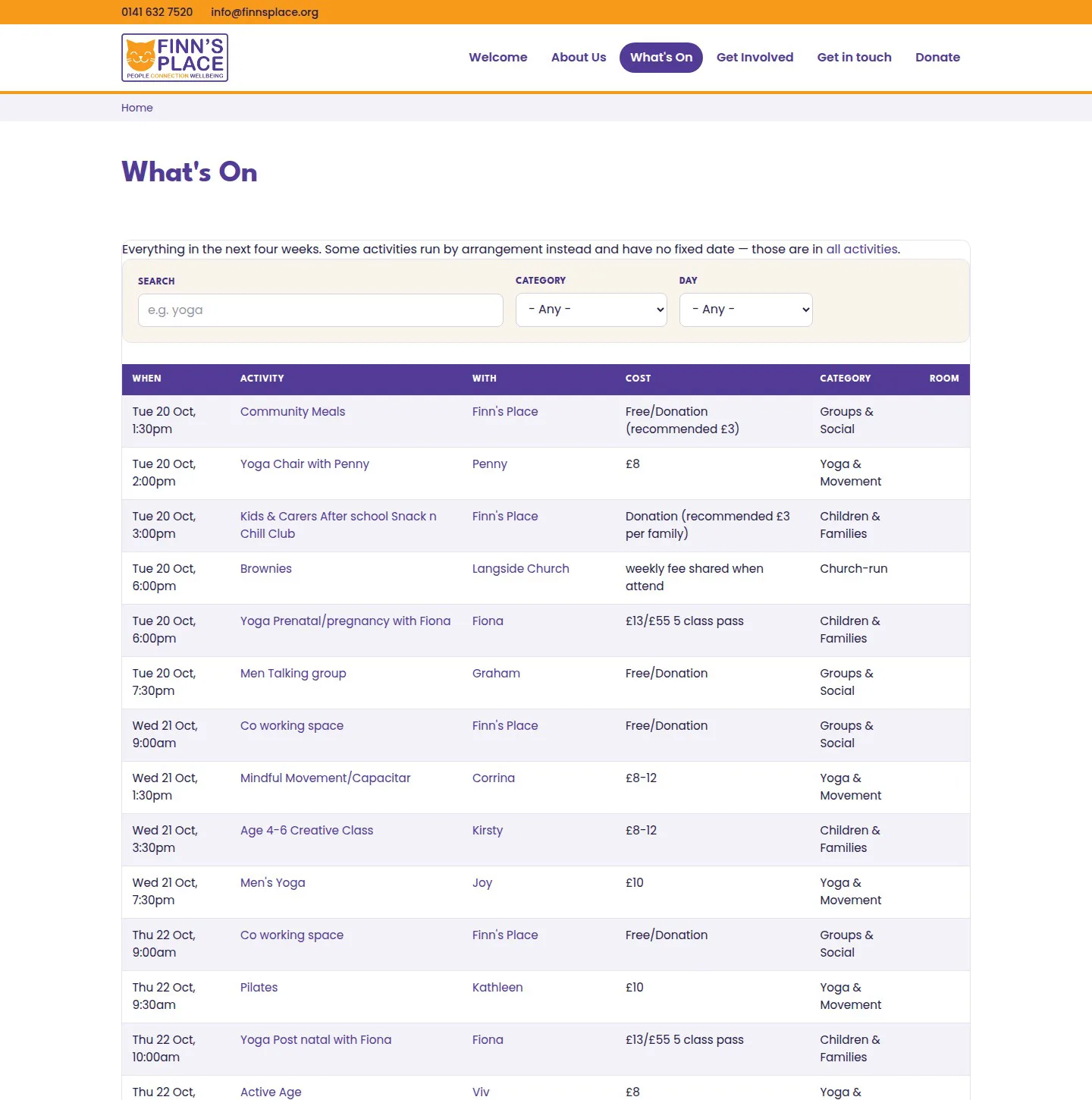
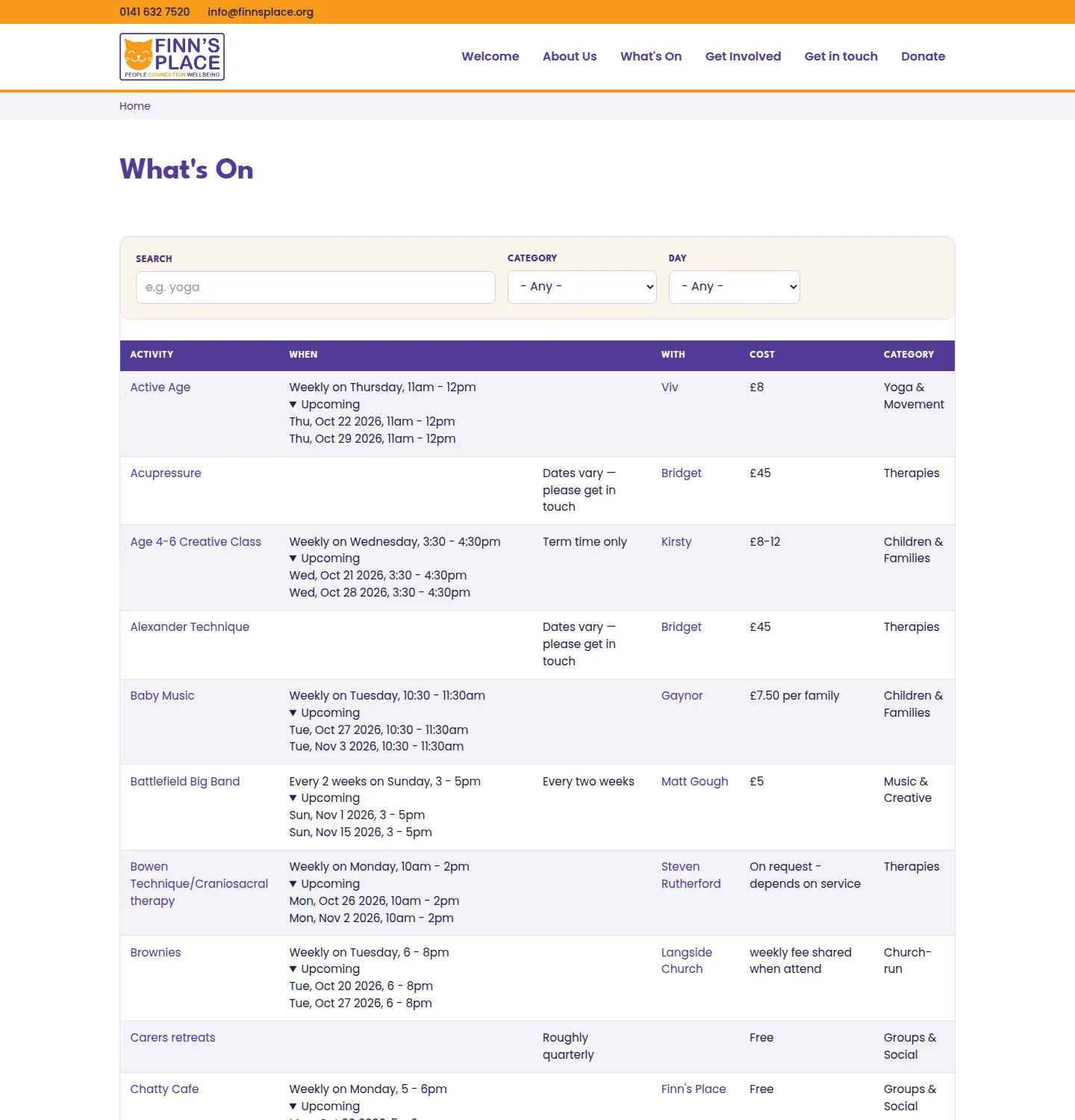
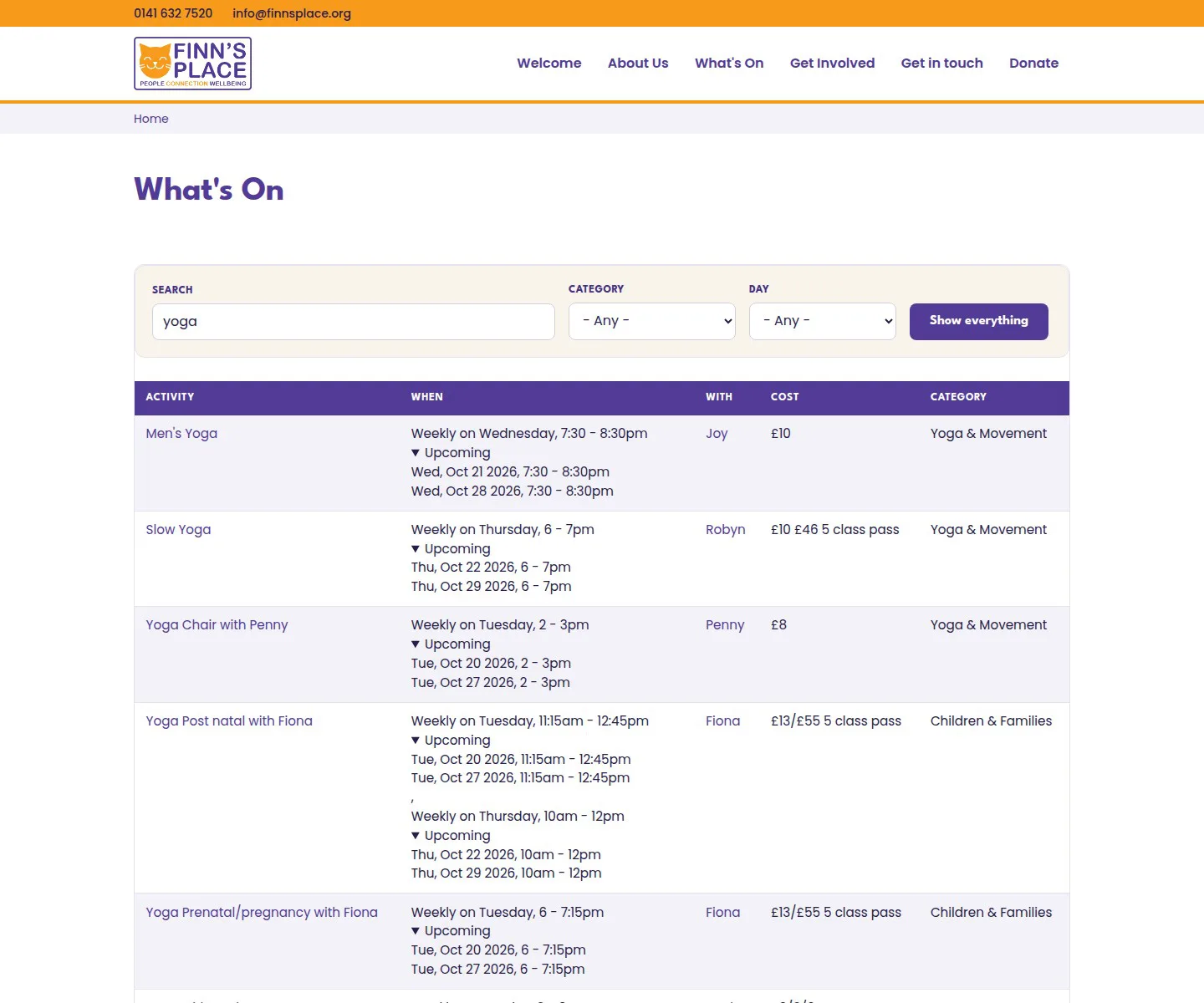
/activities?search=yoga returns all six yoga classes. Their old site had a single /yogas - it now redirects here.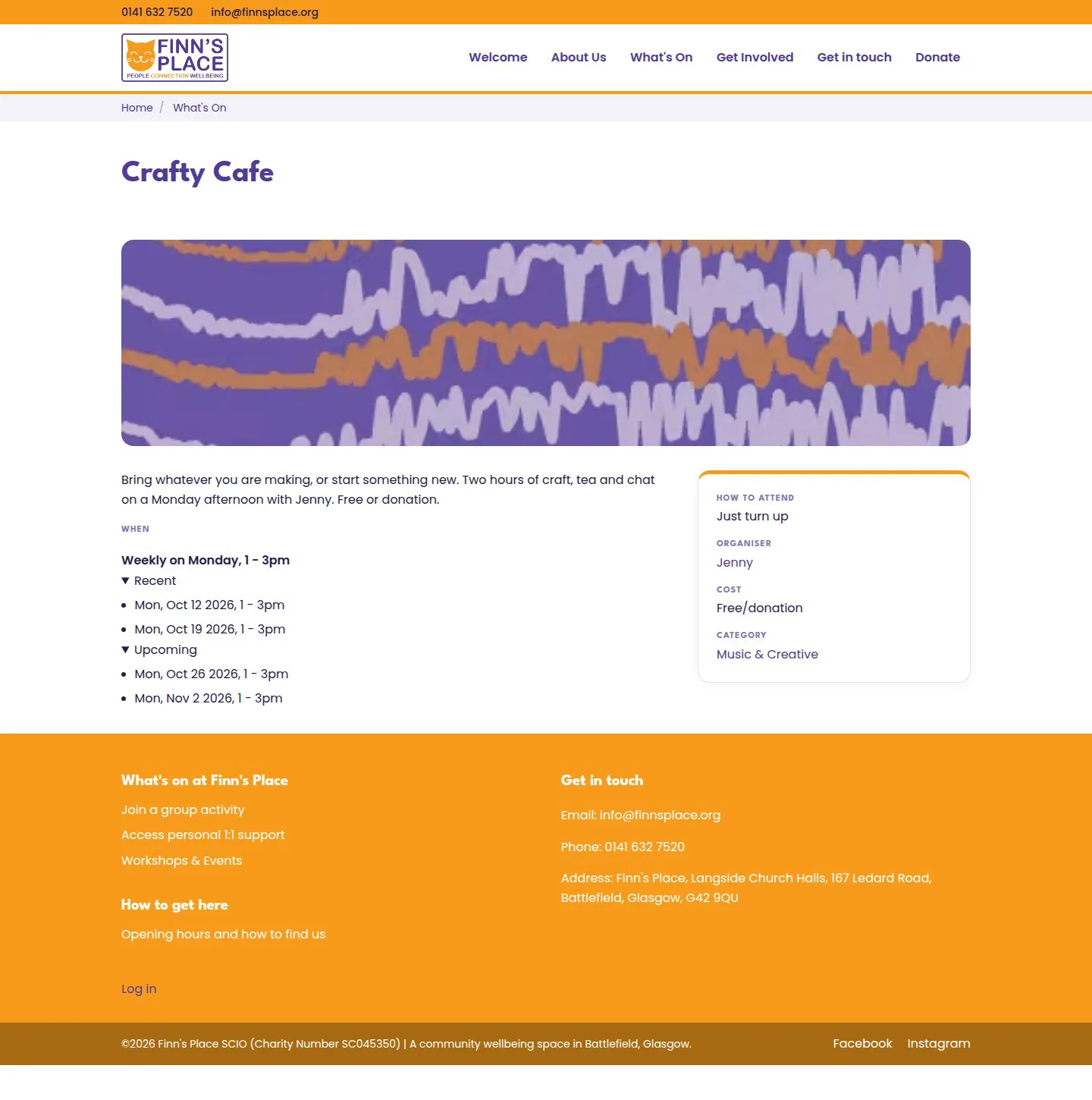
Some custom code
1. A Views filter plugin for "which day?"
The theme
Tailwind on a stable9 base.
Stable9 ships almost no markup opinions, and Tailwind's preflight strips what's left. Together that means anything the theme doesn't style is invisible rather than ugly. /user/login had no visible password field at all. "Log in" rendered as plain text.
Three core templates had to be overridden before anything looked like a website:
field.html.twigpage-title.html.twigstatus-messages.html.twig
Where I deliberately don't match them
"Identical" was the goal, except where copying them means copying a defect:
- The charity number. Their footer says SC047286 on every page. That number belongs to a Girlguiding unit in Inverness-shire. Finn's Place SCIO is SC045350 — it's on OSCR and on their own fundraising poster. We publish the right one.
- Footer contrast. Theirs are #f3a853 on #f89b1d, roughly 1.5:1, against WCAG's 4.5:1. Ours are white.
/whats-onitself. Theirs is three JPEGs. Ours is 52 searchable, filterable activities. That difference is the pitch.
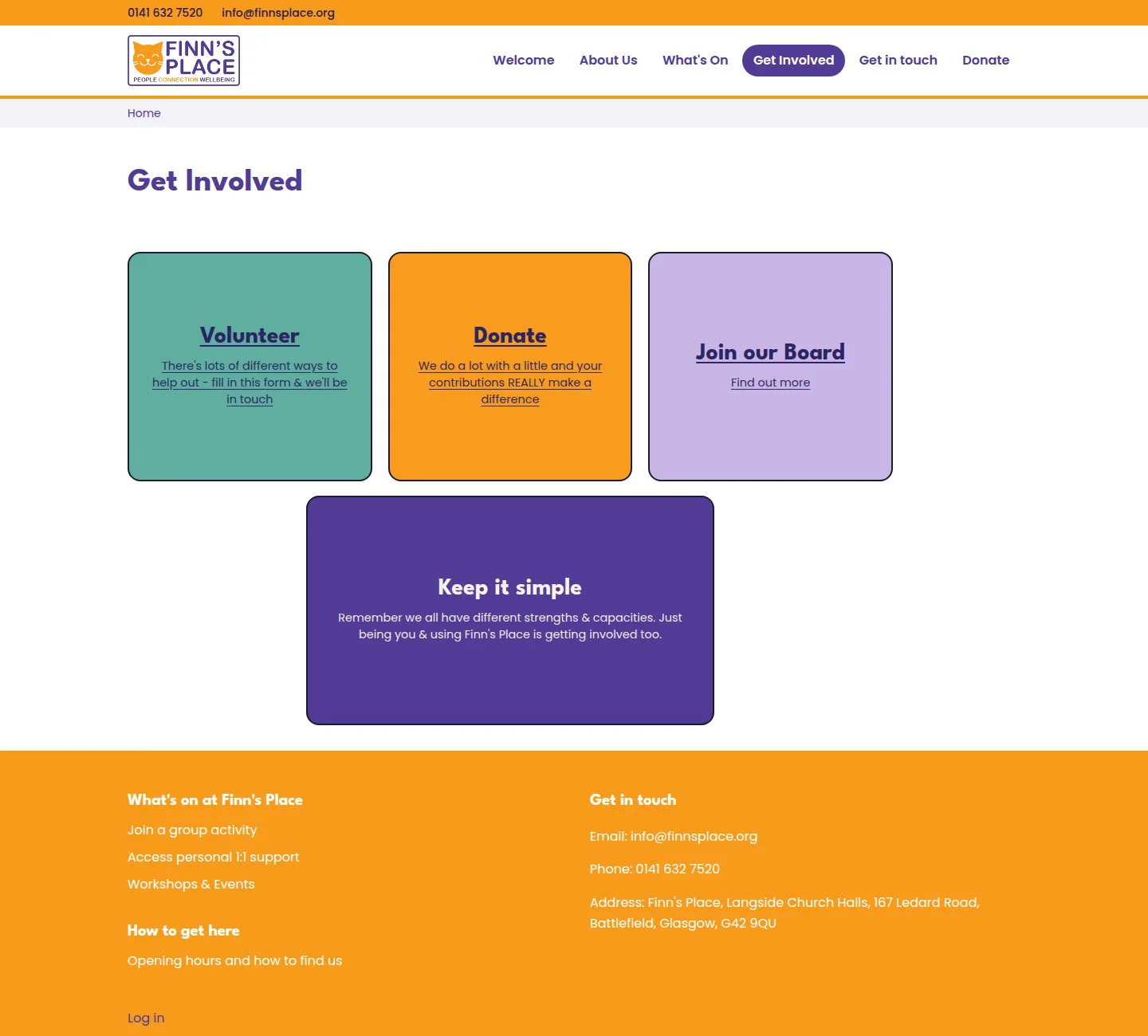
Their content had more trapped in images than just the timetable, too. The four Regular Giving tiers exist only inside PNGs — Friend of Finn £3+, Champion £11+, Patron £31+, Business Friend £50+. None of those amounts appears as text anywhere on their site, so nobody searching "how much to support Finn's Place" finds an answer. The entire Get Involved page is four linked images with no text at all.
What this cost
A few days, spread across a fortnight. 288 config objects, 52 activities, 40 recurrence rules, 33 organiser profiles, 45 redirects, 28 tests, four small pieces of custom code.
The honest summary: almost none of the difficulty was Drupal. It was timezones, empty fields that render as nothing, a base theme with no opinions, and a permission three layers down that silently removes the feature the whole project exists for.
Still open
- The booking module is designed and not written.
- Organiser pages are thin — a name and an avatar. An "activities they run" list from the existing reference field would make them worth clicking, using only real data.
- Whether host edits need approval is a question for Finn's Place, not for me. The editorial workflow exists and is deliberately not attached yet.
Built on Drupal 11.4. The site is a working spec build, not a commission — I'll offer it to the charity.